Postingan

Menampilkan postingan dengan label Develop

Low-Power Sleep Tracking on Android

Gambar
Posted by Nick Grayson, Product Manager Android works best when it helps developers create apps that people love. That’s why we are dedicated to providing useful APIs like Activity Recognition which, with the user’s permission, can detect user’s activities (such as whether a user is biking or walking) to help apps provide contextually aware experiences. So much of what we do relies on a good night's rest. Our phones have become great tools for making more informed decisions about our sleep. And by being informed about sleep habits, people can make better decisions throughout the day about sleep, which affects things like concentration and mental health. In an effort to help our users stay informed about their sleep, we are making our Sleep API publicly available. What is the Sleep API? The Sleep API is an Android Activity Recognition API that surfaces information about the user’s sleep. It can be used to power features like the Bedtime mode in Clock . This sleeping information is ...

Learn Android and Kotlin with no programming experience

Gambar
Posted by Kat Kuan , Developer Advocate, Android Many people today are considering career paths that enable them to work remotely. App development allows for that style of work. For people who want a new opportunity, it’s possible to start learning Android today, even without prior programming experience. In 2016, we released our Android Basics curriculum , which assumes no programming experience, and the response has been tremendous. Hundreds of thousands of students have been learning Android development and programming concepts simultaneously as they build apps. Since then, there have been big platform changes with four major releases of Android and support added for the Kotlin programming language. We also introduced Jetpack, a suite of libraries that make it easier to build better apps with less code. With all these new updates, it’s time to release the next generation of training content for beginners. Today we’re announcing the launch of Android Basics in Kotlin , a new online c...

Advanced in-app billing: handling alternative purchase flows

Gambar
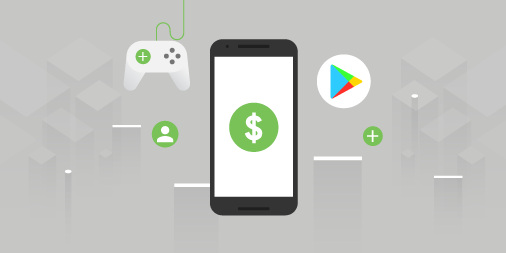
Posted by Oscar Rodriguez, Developer Advocate When designing and developing an app or game, at some point you may ask yourself if you want to monetize it. If you choose to do so by selling products via Google Play, you will most likely have a store screen that shows available items for sale, and use the Google Play Billing Library to display dialogs that allow your users to complete their purchase. While there is a more detailed explanation in the documentation and in the Billing Library TrivialDrive samples , the general flow is as follows: Call the launchBillingFlow() method from the UI thread to launch the Google Play purchase dialog. If the purchase was successful, Google Play calls the onPurchasesUpdated() method to deliver the result of the purchase operation. If your app has a server, we strongly recommend that you verify the purchase from your server by using the Subscriptions and In-App Purchases API . Acknowledge the purchase either with consumeAsync() for consumable it...

Get your apps ready for the 64-bit requirement

Gambar
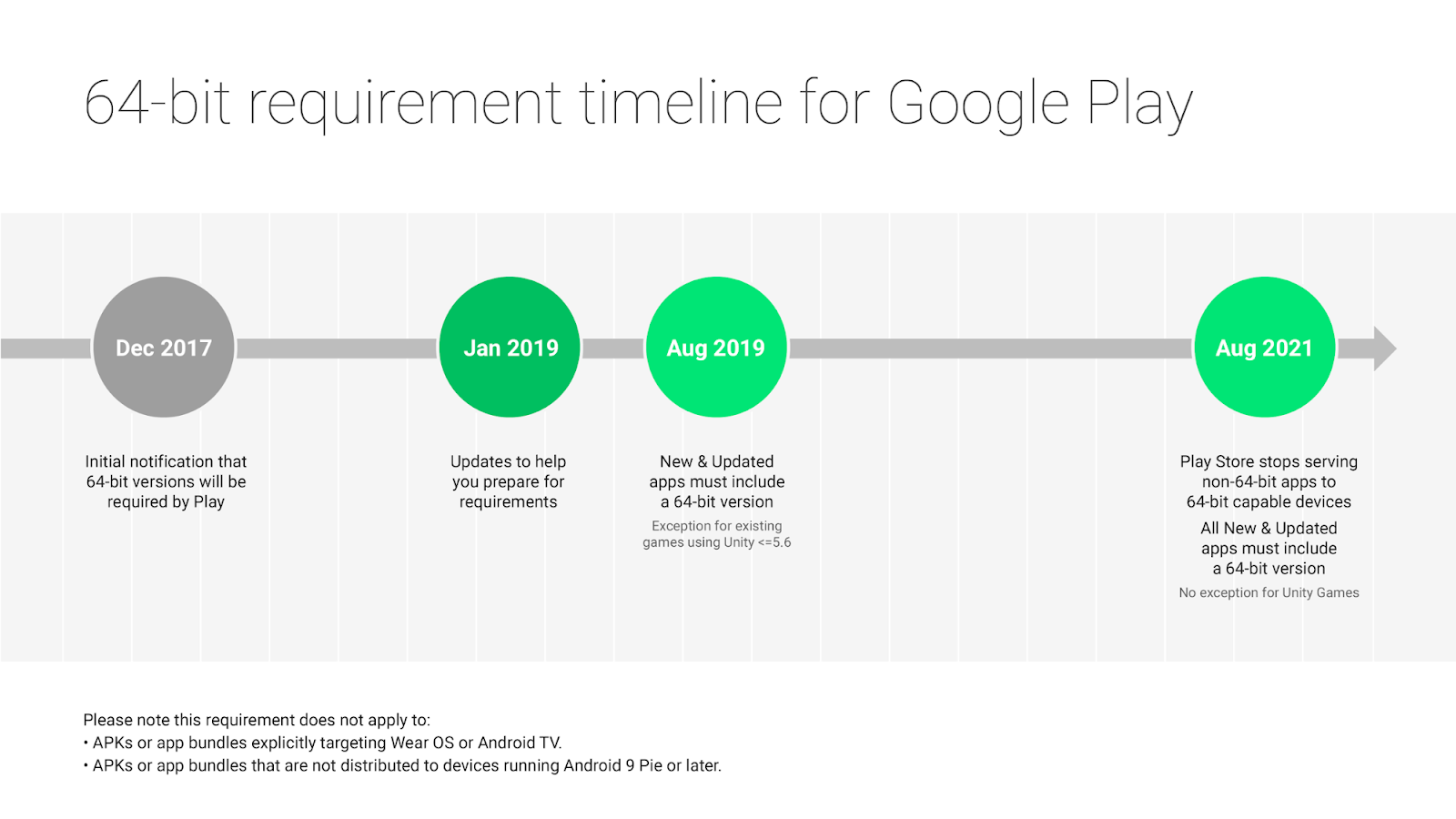
Posted by Vlad Radu, Product Manager, Play and Diana Wong, Product Manager, Android 64-bit CPUs deliver faster, richer experiences for your users. Adding a 64-bit version of your app provides performance improvements, makes way for future innovation, and sets you up for devices with 64-bit only hardware. We want to help you get ready and know you need time to plan. We’ve supported 64-bit CPUs since Android 5.0 Lollipop and in 2017 we first announced that apps using native code must provide a 64-bit version (in addition to the 32-bit version). Today we’re providing more detailed information and timelines to make it as easy as possible to transition in 2019. The 64-bit requirement: what it means for developers Starting August 1, 2019: All new apps and app updates that include native code are required to provide 64-bit versions in addition to 32-bit versions when publishing to Google Play. Extension: Google Play will continue to accept 32-bit only updates to existing games that use Unit...

Get your apps ready for the 64-bit requirement

Gambar
Posted by Vlad Radu, Product Manager, Play and Diana Wong, Product Manager, Android 64-bit CPUs deliver faster, richer experiences for your users. Adding a 64-bit version of your app provides performance improvements, makes way for future innovation, and sets you up for devices with 64-bit only hardware. We want to help you get ready and know you need time to plan. We’ve supported 64-bit CPUs since Android 5.0 Lollipop and in 2017 we first announced that apps using native code must provide a 64-bit version (in addition to the 32-bit version). Today we’re providing more detailed information and timelines to make it as easy as possible to transition in 2019. The 64-bit requirement: what it means for developers Starting August 1, 2019 : All new apps and app updates that include native code are required to provide 64-bit versions in addition to 32-bit versions when publishing to Google Play. Extensions: Google Play will continue to accept 32-bit only updates to existing games that use th...